StackHawk logo featuring a stylized hawk icon on the left and STACKHAWK in bold, uppercase letters to the right. The white text and icon on a light gray background reflect its focus on Shift-Left Security in CI/CD.



Turn Static Analysis into Actionable Security Intelligence with StackHawk & Snyk

Stackhawk’s integration with Snyk code connects dynamic and static application and API security testing to reduce alert noise and drive faster fixes.

Two connected squares on a dark background: one features a stylized Doberman dog head symbolizing Runtime Vulnerability Detection, while the other displays a white bird with outstretched wings before a geometric hexagon, evoking Dynamic Application Security Testing (DAST).
Modern DAST Title Image - Shield and Lightning Bolt

Correlate Application Security Issues Across DAST & SAST

With StackHawk’s Snyk integration teams can leverage the power of DAST (Dynamic Application Security Testing) and SAST (Static Application Security Testing) to quickly fix the most important application and API security vulnerabilities.

The StackHawk + Snyk Difference

Stop Alert Fatigue

Snyk identifies vulnerabilities in code, StackHawk proves they’re exploitable at runtime. Get one consolidated finding instead of managing separate tickets from multiple tools. Focus on real risks, not theoretical ones.
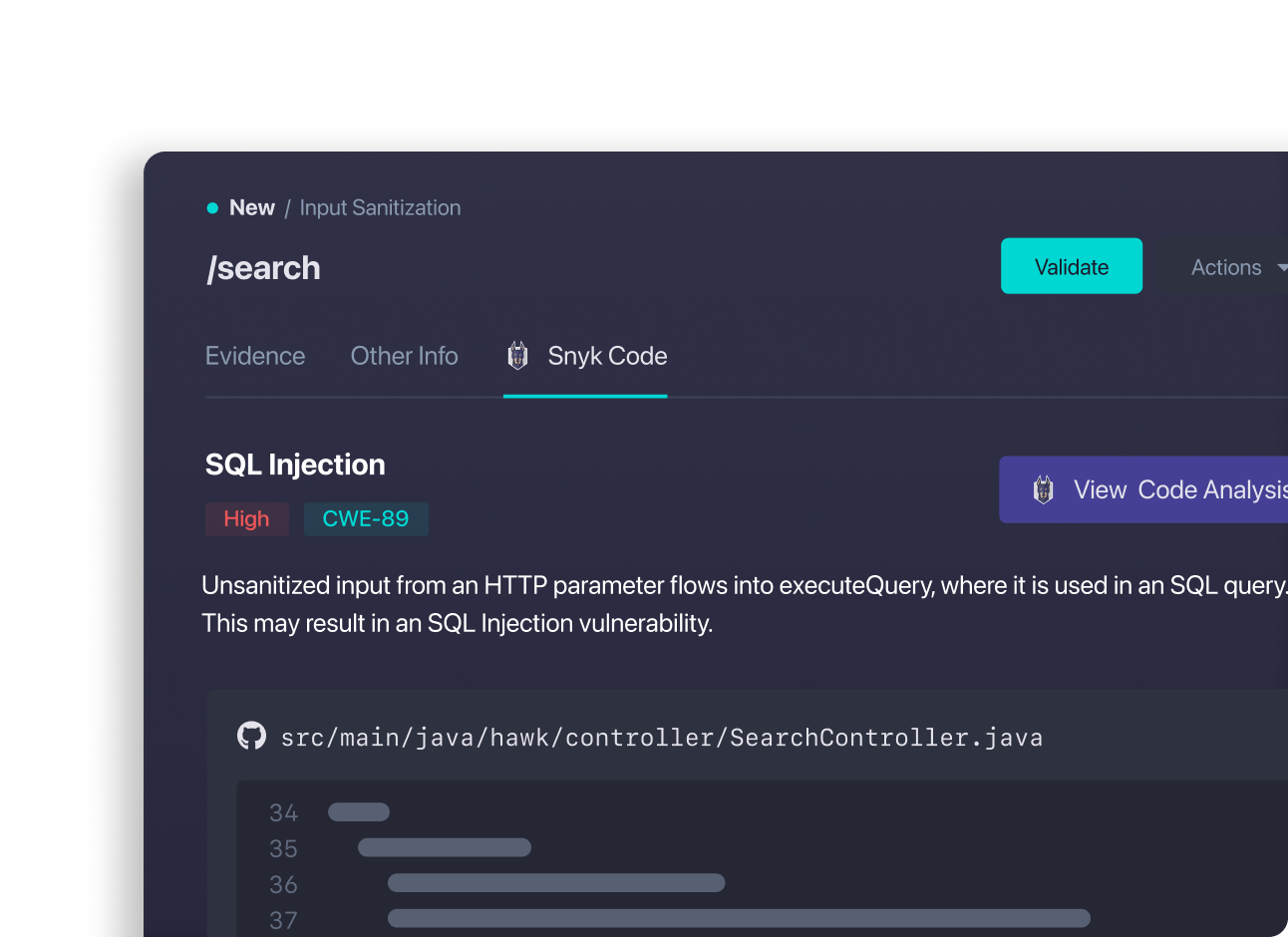
StackHawk Evidence panel showing Snyk code
A blue outlined box with a speedometer icon on its front, featuring a dial and a lightning bolt symbol, represents Dynamic Application Security Testing (DAST), all set against a light blue background.

Fix With Confidence

When both tools flag the same issue, you know it matters. Skip the manual analysis of whether a Snyk finding is actually dangerous—StackHawk’s runtime validation gives you proof of exploitability and clear remediation priority.

A turquoise icon showing a bar graph with three vertical bars of increasing height and a dotted line graph above them, symbolizing API Attack Surface Discovery, on a light blue background.

Close the Loop

Developers fix correlated findings in their code, then StackHawk automatically verifies if the vulnerability is resolved at runtime. No more wondering if your code changes actually eliminated the security risk.

Why Choose StackHawk + Snyk?

A simple turquoise line drawing of a circular shield or badge with a checkmark in the center, shown at an angle on a light blue background, symbolizes AppSec Risk Prioritization for effective runtime vulnerability detection.

Automated Testing in CI/CD

DAST and SAST can be automated in CI/CD alerting developers of security issues early and catching issues before they are shipped to production.

A blue outline icon of a speech bubble containing coding symbols, resembling a terminal or code snippet, on a light blue background—ideal for representing Dynamic Application Security Testing (DAST) processes.

Developer Friendly Functionality

Developer-friendly configuration, fix guidance, and fix validation so teams can address security issues and get back to feature development.

A minimalist teal line drawing of a computer monitor displays "API" on its screen, symbolizing GraphQL & gRPC API Security, set against a light blue background.

Built for Modern Apps

Snyk and StackHawk were both created for modern apps. Find and fix security bugs in microservices, backing APIs, and modern languages.

We’re constantly seeking opportunities for improving our security posture and StackHawk struck us immediately as a strong tool to include in our toolbox. Super pleased in running our first scans today, with time from registration to results and a periodic scan in place through GitHub Actions in twenty minutes.

James Ramirez , CTO at   White pixelated text reads AniMixPlay next to a circular logo with a play button, all on a transparent background, reflecting the clarity and precision essential for GraphQL & gRPC API Security.

Interested in seeing StackHawk at work?

Schedule time with our team for a live demo.