
Find and fix API vulnerabilities in natural language. No separate UI. No context switching. No config headaches. Vibe brings dynamic security testing directly into your AI code assistant so you can build secure applications faster.
$5/month
How it Works
Vibe puts the power of StackHawk’s dynamic application security testing in the hands of any and every builder via our MCP server.

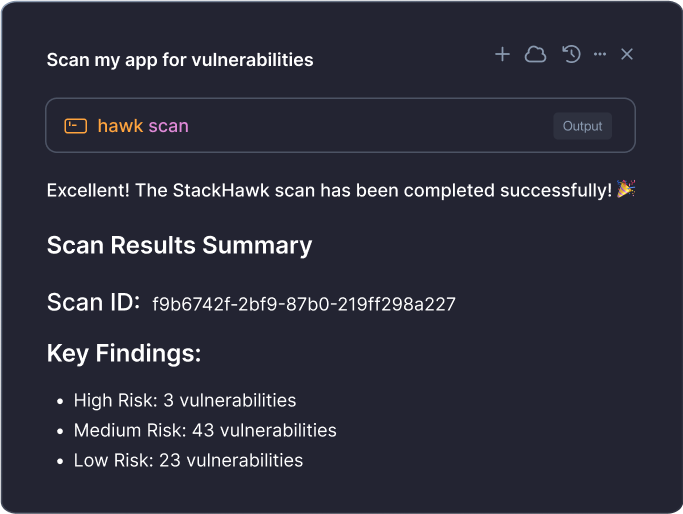
Runtime Security Testing Through Conversation
With Vibe, you can ask to “test my app for vulnerabilities” in natural language, and your AI code assistant becomes your personal AppSec expert. No dashboards, no custom policies, no security expertise required—just runtime application security testing without leaving your AI assistant. Unlike testing tools that scan static code, Vibe tests how your app actually behaves to catch real vulnerabilities.
Effortless Onboarding
Getting started takes under 2 minutes from signup to your first security scan. No complex configuration files, no setup scripts—just a simple MCP installation that automatically connects you to StackHawk’s security platform.
Automated Remediation
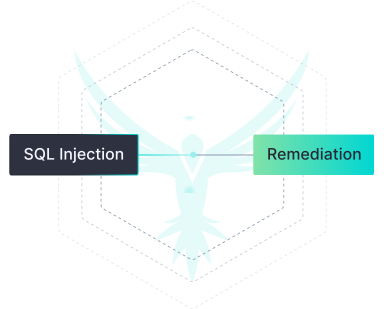
Vibe doesn’t just find vulnerabilities—it fixes them through intelligent auto-remediation and validation loops. Skip the typical cycle of triaging security alerts and chasing down fix tickets. Just keep building while Vibe handles the security.
Why Vibe?
StackHawk’s dynamic testing identifies vulnerabilities in complex API and application logic by testing running applications—so you can write secure code straight from your AI code assistant.

Broken Authentication
Detects login bypasses that allow attackers to access accounts, including admin-level accounts, without passwords.

SQL Injection
Catches vulnerabilities in input fields where special characters could expose sensitive data like emails, passwords, or payment info.

Data Exposure
Finds credit card numbers, API keys, and other secrets leaking through error messages and misconfigured responses.

Cross-Site Scripting (XSS)
Flags unsanitized inputs where attackers can inject malicious JavaScript to hijack user sessions or impersonate users.
Get Started With Vibe
As the codegen era evolves, StackHawk is evolving too. Learn more about how we’re pioneering security for the next generation of AI-assisted development.
Docs
Getting Started with StackHawk’s MCP Server and Vibe Plan
Ready to get started with Vibe? See how it works and get sample prompts to start testing your applications for critical vulnerabilities.
Blog
A Developer’s Guide to Writing Secure Code with Cursor
In this step-by-step tutorial, you’ll learn about the benefit of using StackHawk and Cursor together and see it in action.
Blog
Secure Coding with AI: Four Strategies for Development Teams
AI coding assistants have unlocked unprecedented speed and productivity, but keeping security in the loop is still a challenge. Let’s change that.
Ready to Vibe Secure?
Sign up to get access to StackHawk Vibe for $5/month per single user.